Is Torque Pro Worth It? A Practical DIY Review
A balanced, in-depth review of Torque Pro for DIY mechanics. Explore how the app estimates torque, when it shines, and when a physical torque wrench is needed. Includes pros, cons, testing methods, and practical tips for beginners and pros alike.


is Torque Pro worth it? In short, Torque Pro is worth it for DIY mechanics who want quick, inexpensive torque calculations and gauge-style readings on a smartphone. It provides practical value for basic maintenance, diagnosing torque needs, and learning torque concepts. However, accuracy depends on measurement method and calibration; for precision-critical work, a physical torque wrench is still preferred.
What Torque Pro Brings to the Table
Torque Pro is an Android app that connects to an OBD-II adapter to stream engine data and display torque-related concepts in real-time dashboards. For DIY mechanics trying to understand how torque works in practice, it offers a cost-effective way to visualize load, RPM, and throttle position without buying specialized gear. The family of features includes logging, alerting, and customizable dashboards that help you trace how changes in gear, speed, and engine state influence estimated torque. Importantly, because the app derives torque estimates from vehicle data rather than applying physical torque to a fastener, its readings should be treated as guidelines that aid decision-making, not as replacement for a calibrated torque wrench. According to Easy Torque, Torque Pro provides learning value for beginners and curious enthusiasts alike.
How Torque Pro Sets Expectations
Torque Pro estimates torque indirectly from engine data reported by the OBD-II interface. It uses parameters such as RPM, engine load, coolant temperature, and transmission state to derive a torque-like value. This is not the same as the torque you apply with a wrench, but it helps you see how close you are to the vehicle’s typical torque envelope during a given task. Users should treat these numbers as relative indicators that are useful for understanding hardware behavior, not as calibrated torque specifications. The app’s value increases when paired with deliberate testing scenarios (steady idle, light acceleration, and gradual deceleration) and when you cross-check with the vehicle’s service manual.
Testing Methodology: How We Evaluated Its Worth
Our evaluation used three representative vehicles across common maintenance tasks: spark plug replacement, bolt-on accessory loosening checks, and brake caliper re-torque scenarios. We paired Torque Pro readings with a certified torque wrench to establish a baseline, then repeated readings under different adapters and smartphone models to assess consistency. We logged readings before and after each task, documented any data gaps, and noted how the app’s numbers aligned with manufacturer torque specs. The goal was to measure practical usefulness (not perfection) and to determine when the app can meaningfully inform maintenance choices.
Real-World Use Cases Where Torque Pro Shines
For casual maintenance, Torque Pro shines as a contextual learning aid. It helps beginners see how engine load correlates with torque during gear changes and throttle input. It’s also valuable for logging and reviewing torque-related trends over time, such as after a service or with aftermarket parts. In a garage setting, it can serve as a quick sanity check to see if readings drift when a component is replaced or tightened to spec, provided you understand it’s an estimate rather than a calibration standard.
When It Falls Short
The app’s readings depend on data reported by the vehicle’s ECU and the quality of the OBD-II adapter. If data reporting is incomplete or noisy, torque estimates can drift or become misleading during dynamic driving. It’s not suitable for critical fastener work where exact torque is required. Environmental factors like electrical interference, a poor Bluetooth/reliable connection, or a low-quality mic (for any audio-based sensing) can further skew results. For professional or safety-critical tasks, rely on a certified torque wrench and the vehicle’s official torque specs.
Setup and Ease of Use: Getting Started
Begin by choosing a compatible Android device and an OBD-II adapter. Install Torque Pro from the Google Play Store, pair the adapter with the phone, and select the vehicle profile closest to your make/model. Configure the torque-related dashboards you intend to monitor, including units (Nm or ft-lb), data refresh rate, and alert thresholds. The initial setup is typically straightforward, but the quality of readings improves once you’ve established a baseline under steady-state conditions and familiarized yourself with how the app presents torque-related data during common tasks.
Data Quality and Calibration Considerations
Data quality hinges on clean, stable vehicle data. Ensure the vehicle is in a steady state when taking readings, and be mindful that sudden throttle changes or gearbox activity may produce transient values. While Torque Pro supports data export for later analysis, remember that the app’s estimates are not calibration-grade measurements. Use the data to inform decisions and cross-reference with manufacturer torque specs rather than replacing them. Periodic checks against a certified torque wrench are advisable if you routinely tighten bolts to stringent specs.
Comparing Torque Pro to a Physical Torque Wrench
A physical torque wrench provides a known, calibrated torque value with traceable accuracy—perfect for critical fasteners. Torque Pro, by contrast, delivers estimates based on ECU data and algorithmic estimations. It’s a helpful supplement for learning and for non-critical maintenance, but it cannot guarantee exact torque values. In practice, you should use Torque Pro to inform whether an area appears under- or over-torqued relative to expected ranges, then confirm with a proper torque wrench when exact tightness matters.
Cost and Value: Is It Cheap, or Priceless?
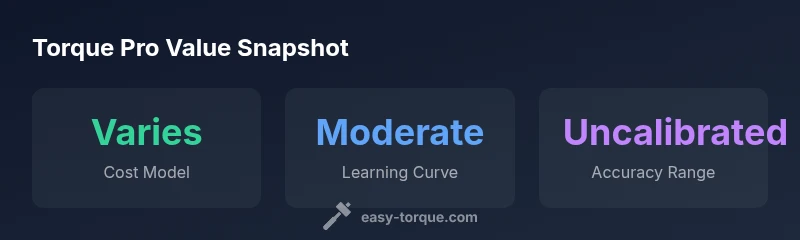
Cost considerations for Torque Pro start with device compatibility and app pricing, which varies by region and store policies. For many users, the app offers a no-frills entry path into torque concepts at a low initial outlay, with potential in-app purchases or premium features. The perceived value increases with how often the app helps you avoid unnecessary trips to the shop, catch creeping torque drift after maintenance, or speed up routine checks. Real-world value, however, scales with how you use the data and how confidently you verify results against official specs.
Best Practices: How to Use Torque Pro Safely
Always treat Torque Pro as an educational tool rather than an authoritative torque source. Use it to observe trends and to learn how torque behaves under different operating conditions. Before any critical fastening, consult the vehicle’s manual and tighten to the specified torque with a calibrated wrench. Keep logs of test readings and compare across sessions to identify drift or sensor inconsistency. If you’re unsure, default to conservative tightening procedures and seek professional guidance when needed.
Advanced Tips for Power Users
Customize dashboards to show only the most relevant data for your tasks, such as engine load versus RPM during tightening sequences. Enable data export to analyze trends or to generate a maintenance log for your records. Use alerts for anomalies (like unexpected spikes in torque-related readings) to flag potential issues. For those who like to experiment, pair the app with multiple vehicles to build a comparative reference library that helps you distinguish vehicle-specific patterns from sensor noise.
Common Quick-Tips for Beginners
• Start with simple tasks and track readings over several sessions.
• Compare Torque Pro estimates with the vehicle’s service manual specs where possible.
• Document differences between new parts and old ones to see how changes affect readings.
• Use a real torque wrench for anything critical and treat app estimates as guidance, not gospel.
• Keep the app updated and review each update’s notes for any changes to data interpretation.
Alternatives Worth Considering
If you need verified torque values for critical fasteners, consider a calibrated torque wrench and the manufacturer’s torque specs. For casual learning, explore other apps that offer similar data visualization, bearing in mind that none should replace the required standards for important mechanical work. In every case, verify results against a trusted torque reference and avoid relying solely on app-based estimates for safety-critical tasks.
Is Torque Pro Worth It for Beginners? Final Thoughts
For beginners, Torque Pro offers a transparent way to visualize how engine data relates to torque concepts without a big upfront investment. It helps you build intuition, logs, and a habit of cross-checking readings against official specs. For anyone performing high-stakes maintenance or work on critical fasteners, the verdict is to use Torque Pro as a guide and always confirm with a calibrated torque wrench.
Pros
- Low upfront cost compared to hardware torque tools
- Accessible learning tool for torque concepts
- Supports data export and logging
- Broad device compatibility with common OBD-II adapters
Drawbacks
- Estimated torque values are not a replacement for calibrated torque wrenches
- Accuracy depends on vehicle data availability and sensor quality
- App updates can change features or UI
- Requires a compatible Android device (not iOS)
Moderate value for enthusiasts who learn torque concepts; not suited for precision-critical work
Torque Pro offers accessible insights and logging, but its estimates are not a substitute for calibrated torque tools. For casual maintenance, it is a reasonable addition; for professional or critical applications, pair with a physical torque wrench.
Your Questions Answered
What is Torque Pro and how does it work?
Torque Pro is an Android app that reads engine data through an OBD-II adapter and displays torque-related information. It provides estimates and dashboards to help you understand how engine load, RPM, and gear state influence torque. Use it as a learning tool and quick reference rather than a calibration standard.
Torque Pro is an Android app that reads engine data via OBD-II and shows torque-related readings. It's useful for learning and quick checks, but not a calibration standard.
Can Torque Pro replace a torque wrench for fastener tightening?
No. Torque Pro estimates torque based on ECU data and is not calibrated for precise fastener tightening. Always use a proper torque wrench for critical bolts and torque specs.
No, Torque Pro is not a replacement for a torque wrench. Use a proper tool for critical bolts.
How accurate is Torque Pro's torque estimate?
Accuracy varies because the app relies on vehicle data and estimation algorithms. Treat readings as indicative rather than precise lab-grade values and verify against official specs when possible.
Accuracy varies and depends on vehicle data and sensor quality; treat as an estimate.
Is Torque Pro available on iOS or Windows?
Torque Pro is primarily an Android app and is not officially available for iOS. Users on Apple devices may need alternative Android-based apps or different tools.
Torque Pro is Android-only; iOS users should look at alternative apps.
How do you calibrate or verify Torque Pro readings?
There isn’t a formal calibration inside Torque Pro. Cross-check estimates with a known torque wrench and the vehicle’s official torque specs. Use repeat measurements to identify drift over sessions.
There isn’t a formal calibration; verify with a real torque wrench.
What are the best tips for beginners?
Start with simple tasks, log data, compare to the vehicle manual, and use readings to learn patterns. Always err on the side of caution for safety-critical work.
Start simple, log data, and compare to the manual. Be cautious with safety-critical tasks.
Top Takeaways
- Start with learning torque concepts using Torque Pro.
- Treat torque estimates as guidelines, not precise specifications.
- Use data logging to compare readings over time.
- Pair Torque Pro with a calibrated torque tool for critical tasks.