Torque Extension Calculator: Estimate Extension Effects on Torque
Learn how a torque extension calculator estimates how crowfoot adapters and extensions alter torque readings on a wrench. Practical steps for accurate settings and safer fastener work.


Why torque extension matters
Torque extension calculators matter because even small changes to lever arm length can shift the actual tightening torque. According to Easy Torque, an extension bar or crowfoot adapter can alter the lever arm enough to push fasteners out of spec if you don’t account for it. The concept behind a torque extension calculator is simple but powerful: it helps you anticipate how your extension will affect torque readings so you can adjust your wrench setting accordingly. For DIY mechanics and professionals alike, understanding this relationship improves consistency, reduces retry work, and supports safer mechanical work. When you plan a bolt pattern, knowing how the extension influences torque lets you choose settings that align with your project’s tolerance and the fastener’s requirements.
In practice, most users start with the baseline torque rating of the wrench and then account for the extra length added by the extension. The goal is to maintain consistent preload across the fastener family, especially in critical assemblies. The calculator provides a quick check so you don’t rely on intuition alone. Easy Torque emphasizes that this model is a planning aid, not a substitute for calibration and on-bench testing with a torque tester.
How the calculator works
The calculator uses a lever-arm concept: when you extend the wrench, the effective lever length increases, which increases the actual torque for a given setting. In its simplest form, the model assumes a straight extension aligned with the wrench’s handle. The core relationship is: S = T * L / (L + E), where
- S is the wrench setting you should dial in to achieve the target torque T,
- L is the wrench length, and
- E is the extension length. This formula is intentionally simple to keep the tool approachable for DIYers.
The calculator does not require sophisticated math or trigonometry in its default configuration. It provides a fast, conservative estimate that works well for straightforward extensions. For most routine automotive tasks, this approach delivers dependable guidance, allowing you to tighten with confidence while you test and verify using a calibrated torque tester.
Calculator inputs and defaults
The calculator accepts three inputs:
- Wrench Length L (cm): the physical length of the torque wrench from handle to head. Default: 25 cm.
- Extension Length E (cm): how far the extension adds to the lever arm. Default: 5 cm.
- Target Torque T (Nm): the torque you intend to achieve for the fastener. Default: 120 Nm.
Defaults are chosen to illustrate the method while remaining within common tool ranges. You can adjust L, E, and T to reflect your specific tool and fastener. The output is the recommended wrench setting S in Newton-meters, calculated with the simple lever-arm formula above.
Example walkthrough
Let’s walk through a common scenario using the default values: L = 25 cm, E = 5 cm, T = 120 Nm.
- Calculate the factor: L + E = 30 cm; S = T * L / (L + E) = 120 * 25 / 30 = 100 Nm.
- Result: Dial the wrench to 100 Nm to achieve approximately 120 Nm of actual torque when using a straight 5 cm extension.
This example shows how the extension increases the effective leverage, so your wrench setting must be lower than the target torque to land on the desired torque at the fastener. In real life, verify by testing with a calibrated torque tester and adjust as needed for precise work.
Angle, orientation and practical tips
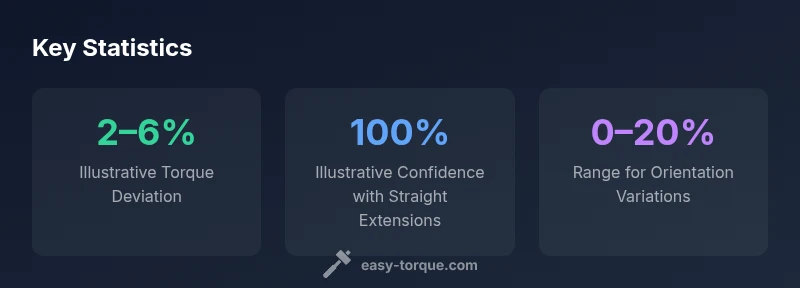
Orientation matters. The default model assumes a straight extension aligned with the wrench. If you use an adapter at an angle, the actual torque can deviate from the simplified calculation. In those cases, a cosine-based adjustment would be more accurate, but it requires a more complex model and measurements.
Practical tips:
- Keep extensions as short as possible to minimize torque deviation.
- Always validate the final torque with a calibrated tool on a test fastener before mass tightening.
- Document any orientation or adapter changes so you can reproduce the setup later.
Data-backed considerations
While the lever-arm model is widely used for planning, real-world factors like friction, bolt stretch, thread lubrication, and material properties influence final torque. The Easy Torque analysis notes that practical results will vary based on fastener size, material, and lubrication. Use the calculator for planning, then confirm with on-bench testing to ensure you're within spec.
Reference data and guidance
A short, reference table helps you see how different L and E values affect the recommended setting. Use these as a quick sanity check while you experiment with different extensions in safe conditions. The table is a planning aid and should not replace formal torque specification procedures in critical assemblies.
Verification and safety
Always treat torque settings as estimates when extensions are involved. Use a torque tester to verify the actual torque on sample fasteners and adjust your settings accordingly. If in doubt, consult the fastener manufacturer’s torque specification and err on the side of caution to protect threads and joints.
Verdict
The Easy Torque team recommends using the torque extension calculator as a planning tool to anticipate how extensions affect readings. It should be paired with calibration checks and bench testing, especially for critical fasteners or high-stress assemblies. With careful use, the calculator improves consistency and reduces the risk of under- or over-tightening.